
Console Free
Console Free is the no-cost visual companion for a standalone BonVoyage installation. It presents the same desired state, immutable rollout identity, node reports, diagnostics, and audit history exposed by the management plane. The Console is optional: the OSS gateway, configuration tools, and Admin API do not require it.
The operating loop
Section titled “The operating loop”Every change follows one visible loop:
- Confirm that the installation and intended gateway nodes are ready.
- Edit the complete desired-state YAML, directly or with a guided editor.
- Validate the document and preview the exact resource changes.
- Supply an operator reason and the generated confirmation value.
- Apply the immutable artifact to the selected nodes.
- Observe an ACK or NACK, verify live traffic, and inspect the audit record.
- Correct the proposal or restore retained last-known-good bytes when needed.
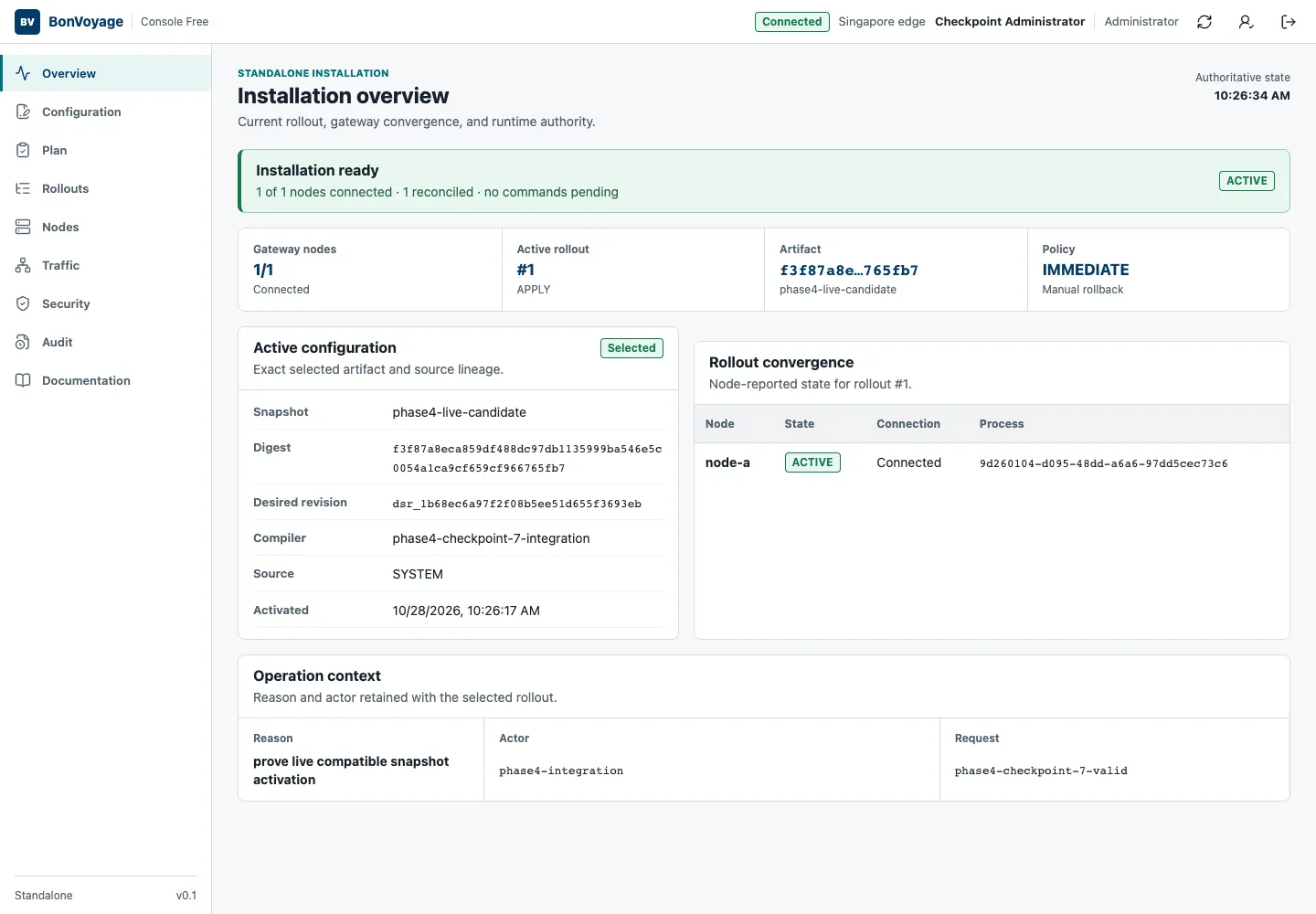
The green Installation ready state means the selected control plane has a connected, reconciled gateway and no command is pending. It does not by itself prove that a particular route or policy behaves correctly; complete the traffic check documented for that change.
| Role | Intended use |
|---|---|
| Auditor | Read installation state, rollouts, traffic summaries, security state, and audit history. |
| Operator | Propose, validate, preview, and apply ordinary configuration changes. |
| Administrator | Perform protected account, node-lifecycle, recovery, and other consequential operations. |
Protected mutations may require reauthentication even when the account is already signed in.
Start here
Section titled “Start here”Use the Documentation entry in the Console sidebar to open this release-matched section in a separate browser tab.