
Verify a local deployment
Use these checks after starting the local stack from the Docker quickstart.
Run the bounded verifier
Section titled “Run the bounded verifier”make verify-local-deploymentThe command fails closed unless the compiler exited successfully, the upstream is healthy, the gateway is running, and neither long-running role restarted. It verifies exact response bodies and then sends 25 fixed-route plus 25 proxied-route requests. The request, 2xx response, and upstream-selection counters must advance by the exact expected amounts while selected error and runtime-failure counters remain zero.
Set BONVOYAGE_VERIFY_REQUESTS_PER_ROUTE to another positive integer when a
larger bounded sample is useful. This command is a functional acceptance check,
not a capacity benchmark.
Use the individual checks below for diagnosis or independent inspection.
Check the three roles
Section titled “Check the three roles”docker compose -f deploy/compose/local.yml ps --allConfirm that:
snapshot-compilerexited with status0;upstreamis running and healthy; andbonvoyageis running.
The compiler is a one-shot role. Its successful exit is expected and proves that the declarative YAML produced an immutable snapshot before gateway startup.
Check local and proxied routes
Section titled “Check local and proxied routes”The fixed route verifies listener, route matching, and response handling:
curl --fail --show-error http://127.0.0.1:8080/bonvoyage/readyExpected body: ready.
The upstream health route additionally verifies upstream selection, connection handling, and response forwarding:
curl --fail --show-error http://127.0.0.1:8080/healthzExpected body: ok.
Check process readiness
Section titled “Check process readiness”curl --fail --show-error http://127.0.0.1:9901/health/readyExpected response:
{"status":"ok"}Readiness is a process and active-state signal. It is separate from application traffic and should not replace an end-to-end routed request.
Check configuration and request metrics
Section titled “Check configuration and request metrics”curl --fail --show-error --silent http://127.0.0.1:9090/metrics \ | grep -E 'gateway_(configured_routes|requests_total)'The local example exposes two configured routes. requests_total should
increase after the route checks. Counter values depend on how many probes have
already run, so validate their meaning rather than copying one fixed count.
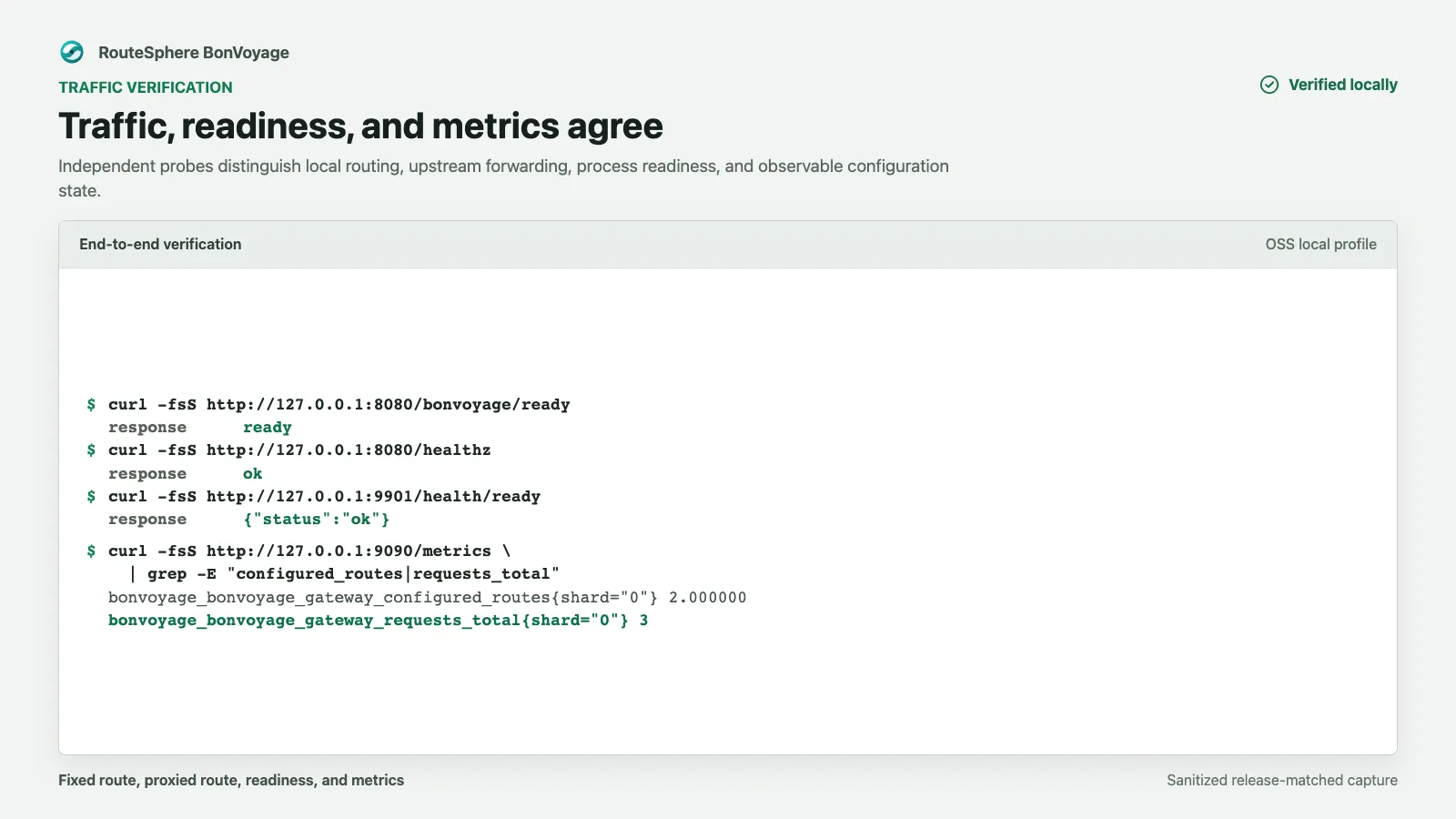
This release-matched capture used three application requests, so its request
counter is 3. Your counter may be higher; the required behavior is that the
configured-route gauge is 2 and the request counter advances after traffic.
Inspect startup evidence
Section titled “Inspect startup evidence”docker compose -f deploy/compose/local.yml logs \ snapshot-compiler bonvoyageThe compiler log identifies the written snapshot and generation. Treat startup errors, an absent snapshot, or a nonzero compiler exit as a failed deployment; do not bypass snapshot validation by reusing an older volume.
Stop and remove the snapshot volume
Section titled “Stop and remove the snapshot volume”docker compose -f deploy/compose/local.yml down --volumesRemoving the volume ensures the next run must compile and activate the current configuration.