
Apply a configuration
This procedure requires an Operator or Administrator account. Begin only after confirming the installation baseline.
1. Prepare the draft
Section titled “1. Prepare the draft”Open Configuration. The YAML editor contains a complete desired-state document; guided editors update that same document. Review the proposed snapshot ID and generation, make one bounded change, and select the exact target nodes.
Do not paste private keys, API keys, JWTs, or certificate contents into the document. TLS fields refer to secret filenames installed on the gateway.
2. Validate and preview
Section titled “2. Validate and preview”Select Validate. Continue only when the result identifies the proposed snapshot as valid. Select Preview change and review every added, modified, and removed resource.
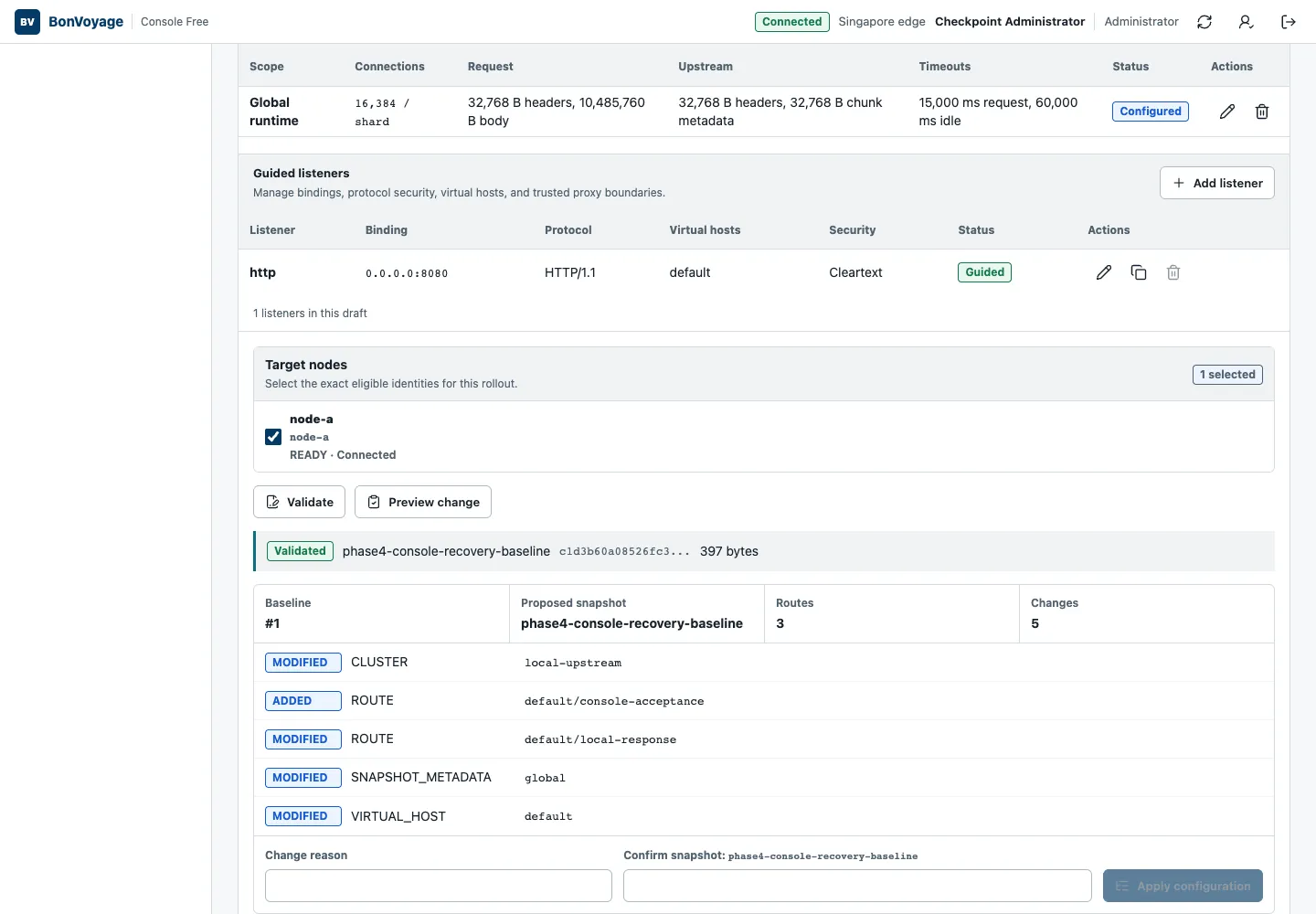
The preview is deliberately separate from activation. Confirm that:
- the baseline is still the rollout you inspected;
- the proposed snapshot ID is unique and intentional;
- the selected nodes are correct;
- no unrelated resource appears in the change list; and
- listener changes that require process replacement are scheduled as a controlled restart rather than assumed to be live-safe.
3. Apply the immutable artifact
Section titled “3. Apply the immutable artifact”Enter a concise Change reason. Type the generated snapshot confirmation value exactly, then select Apply configuration.
The button remains unavailable until validation, preview, reason, confirmation, and target selection are complete.
4. Observe delivery
Section titled “4. Observe delivery”Open Rollouts. A successful rollout reaches ACTIVE after the target node ACKs the artifact. A rejected rollout reaches CANCELLED or FAILED and retains structured diagnostics; it does not silently replace the active last-known-good snapshot.
5. Prove runtime behavior
Section titled “5. Prove runtime behavior”Exercise the route or policy that changed. For example:
curl --fail --show-error http://GATEWAY_ADDRESS:GATEWAY_PORT/bonvoyage/readyUse the real gateway address and the expected route for your change. Compare the status, body, headers, and metrics with the reviewed proposal. Finally, open Audit and correlate the actor, reason, operation ID, rollout sequence, target node, and outcome.
If the node NACKs the artifact, continue with Recover a rejected rollout.